

Old 22Bet Shop in Nigeria: History and Access Guide
Discover the old 22Bet shop's history and key features 🇳🇬, understand its shift from physical shops to online betting platforms, and learn how Nigerians access services securely today 💻🔐
Accessing the old version of the 22Bet APK can be handy for many Nigerian users seeking a stable, familiar betting experience. Unlike the latest releases, the old APK offers a tested environment, often consuming fewer system resources, which matters a lot for users with mid-range or older Android devices.
Compatibility is key. Many smartphones in Nigeria, especially those under ₦50,000, run on Android versions below 10. The older 22Bet APK versions usually support Android 6 to 9 better than the newer ones. This reduces the chances of crashing or slow loading, helping you avoid frustration during important betting moments.

Using an older APK means you can benefit from features optimized for less powerful devices while keeping access to popular markets like football, basketball, and local Nigerian events.
Simplified Interface: The design is straightforward, cutting down on eye candy to boost speed.
Lower Data Consumption: This version avoids heavy graphics, saving on your mobile data—a big plus during poor network conditions often experienced in parts of Nigeria.
Broader Device Support: Whether your phone is a Tokunbo or just a few years old, this APK typically runs smoother without frequent updates.
Downloading and installing the old 22Bet APK on your Android phone is simple. However, you must enable "Install from Unknown Sources" in your phone settings first. This allows your device to accept apps outside the Google Play Store, which sometimes doesn’t host older versions.
Here’s a quick rundown:
Locate a trustworthy source offering the 22Bet old APK suited for Nigerian users.
Download the file directly on your phone or transfer it from a laptop.
Before installing, clear space to avoid errors – around 100MB free is advisable.
Follow the installation prompts on your device.
Benefits: You get a more stable app for older phones, a simpler layout, and generally a smoother user experience with fewer bugs.
Drawbacks: The old app might miss new features such as updated payment options like OPay or improved live streaming. Security patches could also be outdated, exposing you to potential risks if an update fixes a serious vulnerability.
Before you decide, weigh these factors carefully. If your phone struggles with the latest 22Bet version, the old APK could be a good fit next tomorrow. Still, always ensure your source for the APK is reliable to protect your data and bankroll.
This approach helps you enjoy 22Bet’s extensive betting options while keeping your device’s performance intact.
When it comes to sports betting and online gambling in Nigeria, 22Bet has quickly gained standout recognition. Its APK (Android Package Kit) allows Nigerian users to experience the platform directly on their mobile devices without the delay of browser loading times. This section gives an essential look at what 22Bet is, why it’s popular here, and the advantages of installing its Android app for a smoother betting experience.
22Bet is an international betting platform offering an extensive range of sports markets, casino games, and live betting options. In Nigeria, it’s particularly favoured due to its diverse payment methods, including local options like Quickteller, USSD payments, and bank transfers through GTBank or Access Bank. Its popularity grew as users sought a reliable, mobile-first sportsbook with competitive odds on football, basketball, and local favourites like the Nigeria Professional Football League (NPFL).
Another pull factor is the availability of bonuses tailored for Nigerian bettors, combined with support in Nigerian Naira (₦), making transactions straightforward without currency conversion hassles. The platform’s responsive design also means users on different devices, from low-end Android phones to tablets, can navigate with ease.
Using the 22Bet APK on Android carries several practical benefits compared to the web version. Firstly, it offers faster response times, reducing frustrating lags especially in the midst of live betting where seconds count. For example, during an intense match between Enyimba and Kano Pillars, quick placement of bets can change outcomes significantly.
Secondly, the APK supports push notifications that keep you updated on live scores, promotions, and bet results without needing to open the app. This feature is a big plus for users who are always on the go or dealing with intermittent internet connectivity common in many Nigerian cities.
Furthermore, the app design accommodates offline access to some features like bet history, letting users review past wagers even when temporarily off network. This can be quite handy during power fluctuations or if you step onto an okada ride where data coverage weakens.
Using 22Bet APK transforms your smartphone into a portable sportsbook, giving you flexible and convenient access anytime, anywhere in Nigeria.
Overall, understanding what 22Bet offers and the benefits of its APK prepares you to decide if downloading the app suits your betting style and device capabilities.
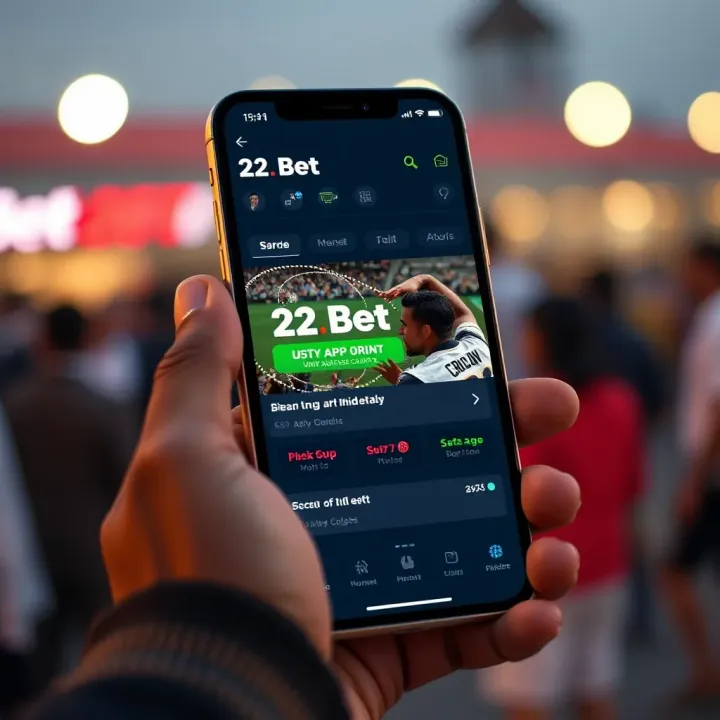
For many Nigerian users, the choice to download the old version of the 22Bet APK is not just about preference but practicality. Older APK versions often fit better with the hardware and software realities many face, particularly with devices that are not the latest models. Additionally, some users value the stability and familiar feel of older interfaces. However, it’s essential to weigh potential risks alongside these benefits for a balanced understanding.
The primary reason to consider the old 22Bet APK is its compatibility with older Android devices. Many users in Nigeria still operate on smartphones running Android versions that newer apps no longer support. For example, an Android phone running version 5.1 or 6.0 may struggle or outright fail with the latest 22Bet APK releases, which often demand newer systems for optimum performance. Older APK versions are usually lighter, requiring less storage and RAM, meaning they run faster on devices with limited resources. This is particularly valuable for users who rely on "tokunbo" or second-hand smartphones, common in many Nigerian cities.
The old 22Bet APK versions retain the user interface that frequent users have grown accustomed to, which can make navigation and placing bets smoother. Some of the latest updates might introduce drastic UI changes that require a learning curve, which can be frustrating when quick betting decisions are needed. In fact, many seasoned bettors prefer the simplicity and straightforward layout of older versions. Moreover, these older versions tend to be more stable on some devices, as they have matured through various updates and bug fixes specific to that APK release. This stability reduces crashes and improves the overall user experience.
Despite these advantages, using an outdated APK comes with notable risks. Older versions may lack recent security patches from 22Bet, exposing users to potential vulnerabilities like data breaches or malware attacks. Also, some features exclusive to newer versions might be unavailable, such as live streaming or enhanced payment methods popular in Nigeria, like USSD payments or mobile wallets like OPay and PalmPay. Furthermore, regulatory changes and compliance updates are usually reflected only in the latest APKs, so using an older version might affect gambling legality under current Nigerian laws or terms of use by 22Bet.
Users should regularly weigh these risks against benefits and consider updating to the latest version when their device supports it, or stick to the official app sources for downloads.
In summary, the old 22Bet APK is an option mostly favoured for better compatibility and ease of use on older or low-spec devices. Still, users must proceed carefully, aware of possible security and feature limitations. Choosing the right version depends on your device capabilities and what you prioritise when betting online.
Downloading and installing the old 22Bet APK is a practical route for Nigerian users with older or less powerful Android devices. This guide breaks down the process clearly to help users avoid common pitfalls and enjoy a stable betting experience. Understanding each step is essential because any misstep could lead to installation failures or security risks.
Android devices, by default, block apps from unknown sources to protect users from potential malware. To install the old 22Bet APK, you first need to adjust this setting. On many smartphones, this option sits under 'Security' or 'Apps & Notifications'. Allowing app installation from unknown sources is necessary because the old APK isn’t available on Google Play Store. However, enabling this temporarily should be done with caution to avoid unwanted apps slipping in.
Before installing a new APK, especially an older version, backing up your existing data is wise. This includes your current 22Bet app data, personal files, or account details to prevent unexpected loss. Use either cloud backup services or transfer important files to an external storage device. This precaution is particularly helpful if the installation requires uninstalling the current version or if something goes wrong during the process.
The safest source for the old version APK remains the official 22Bet website. Although it might not always be prominently displayed, the official site sometimes provides archives or legacy versions of their app for users. Downloading from the official platform reduces risks related to fake or tampered APK files, a serious concern in Nigeria given the number of unauthorized websites.
If the official site does not offer the old version, consider trusted third-party platforms known for verifying APK files. Websites with long-standing reputations for secure downloads generally scan their files for malware. Examples might include APKMirror or APKPure. Still, it is important to double-check user reviews, file size, and version details to confirm you’re getting the right file, as some platforms can host outdated or risky versions.
Once downloaded, locate the APK file using your device’s file manager. Tap it to start the installation prompt, then follow the on-screen instructions. The process usually requires a few taps, like accepting permissions and confirming the install. After installation, it’s recommended to restart your device for smooth functioning.
Common reasons for installation failures include insufficient storage, incompatible Android version, or residual files from previous installations. Clearing cache and temporary files often helps. Also, uninstall the existing 22Bet app fully before attempting a fresh install of the older version if conflicts arise.
After installing the APK, the app might request permissions such as access to storage, location, or network to function properly. Denying these could limit app features or cause crashes. Go to your device’s settings, locate the 22Bet app, and ensure permissions are enabled as required. This step is often overlooked but is key to a smooth betting experience.
Properly downloading and installing the old 22Bet APK not only ensures functionality but safeguards you from potential security risks and app glitches often faced by Nigerian users with less powerful devices or unstable internet connections.
Understanding the features and functionalities of the old 22Bet APK version matters much, especially for Nigerian users who rely on dependable betting apps that mesh well with their devices and data limits. Older versions often strip back some complex design elements for smoother operation on less powerful phones, making them a solid pick for many punters who prefer straightforward, no-frills betting.
The user interface of the old 22Bet APK is built to keep things simple and intuitive. Unlike the latest versions that sometimes introduce new layouts or flashy animations, the old version prioritises ease of navigation. Men and women using older Android devices find it easier to move between sections like live bets, sport categories, and account management. For instance, instead of nested menus, users can directly jump to popular football leagues, which is a common focus among Nigerian bettors.
This simplicity also means fewer crashes and faster response times when scrolling through betting options or checking scores. The straightforward buttons and clear fonts reduce confusion, allowing you to place bets quickly during live events—something every serious bettor values.
While the old 22Bet APK may not showcase the newest markets or emerging sports, it still covers all the big favourites Nigerians demand. Football, basketball, tennis, and even local sports like Nigerian Premier League matches are widely accessible. Moreover, markets such as outright winners, handicaps, and over/under goals remain available to keep the betting experience rich.
On payments, the old version supports common Nigerian options such as bank transfers, USSD payments, and popular e-wallets. This includes channels through GTBank, Access Bank, OPay, and Flutterwave. Although it might not have integrated the newest fintech solutions released recently, the payment methods offered are familiar and reliable, helping users deposit and withdraw funds without headaches.
When it comes to performance, the older 22Bet APK shines on devices with limited RAM and slower processors. Newer versions, while packed with features, can be resource-heavy, leading to lag or even forcing some users to downgrade their device settings. The old APK is quicker to load, uses less data, and handles live betting odds updates without stalling.
That said, the trade-off is the absence of some modern perks like push notifications for updates or more advanced live streaming options. Speed and stable operation tend to outweigh these missing features for many Nigerian users who value functionality over flashy add-ons.
Using the old 22Bet APK version offers a practical balance of reliable performance, easy navigation, and broad betting options—ideal for Nigerian Android users seeking steady app behaviour on older devices.
In summary, the old version caters well to bettors who want a smooth, familiar experience without the need for the latest graphical improvements or additional bells and whistles. It’s a sensible choice for those wanting to keep their bets flowing without worrying about device compatibility or data drain.
Using an older version of the 22Bet APK means you should be extra cautious about security. Outdated software often misses the latest security patches, which could expose your device and personal information to threats. Understanding these risks helps you balance convenience with safety.
Older APK versions may contain vulnerabilities that hackers exploit to steal data or install malicious apps. For instance, a previous 22Bet APK might not have the latest encryption standards, leaving your login credentials or payment details at risk. Such weaknesses could allow attackers to intercept your data, leading to financial losses or identity theft.
Another issue is compatibility with updated Android security features. Using outdated APKs could mean ignoring improvements in app sandboxing or permission management, increasing your exposure to malware. Additionally, some old APKs might not support new secure payment methods popular in Nigeria, like bank USSD codes or Nigerian fintech wallets, posing challenges during transactions.
Many cases of compromised betting accounts stem from outdated apps neglecting essential security upgrades.
To reduce risks when using an older 22Bet APK, always download from trusted sources such as the official 22Bet website or reputable platforms familiar to Nigerian users. Avoid random sites that might offer modified or infected versions.
Before installation, ensure your device’s security settings limit permissions for unknown apps. Disable unused app permissions after installation to prevent unnecessary access. It's best to use antivirus or security apps from trusted providers to scan and monitor your device.
Regularly check for updates or consider upgrading to the latest 22Bet version once your device supports it. Updates not only improve features but also plug security holes. For example, keeping your app updated ensures support for new payment options or fraud detection systems.
If you must stick to the old APK due to device limitations, practise safe browsing habits, avoid public Wi-Fi when accessing the app, and change your password regularly. Never share sensitive information through unverified channels.
Summarily, security should never be sacrificed for convenience when placing bets online. Being proactive about updates and cautious with app sources keeps your 22Bet experience safe and enjoyable.
Discover the old 22Bet shop's history and key features 🇳🇬, understand its shift from physical shops to online betting platforms, and learn how Nigerians access services securely today 💻🔐

Explore 22Bet and Bet.com for Nigerian bettors: licensing, payment options, promos, and simple tips for safe, enjoyable betting 🎲🚀

📱 Discover how Nigerians can easily install and use 22bet mobile app for reliable betting, secure payments, and smooth experience wherever you are in Nigeria 🇳🇬

🎲 Explore 22bet promotions in Nigeria: how to qualify, claim your bonuses, and make the most of each offer. Get ahead with tips and platform comparisons ₦
Based on 10 reviews