

22Bet APK Download: Old Version Features for Nigerians
📲 Download the old 22Bet APK easily on your Android! See features, compatibility tips, and installation steps perfect for Nigerian users. Understand benefits & risks ⚖️
Edited By
Kelechi Nnaji
Before you start downloading the 22bet app APK for your Android device, it helps to understand a few basics. The 22bet app allows Nigerian users to place bets conveniently on their smartphones. Unlike apps available on Google Play Store, the 22bet APK must be downloaded directly from the official website or trusted sources, as Google restricts betting apps in its store.
To avoid risks, ensure your Android device runs on version 5.0 (Lollipop) or higher. Older versions may not support the app smoothly or at all. Also, prepare at least 150 MB of free storage space. This is important because installing the APK and storing betting data can quickly use up space, especially if you enjoy live betting with real-time updates.
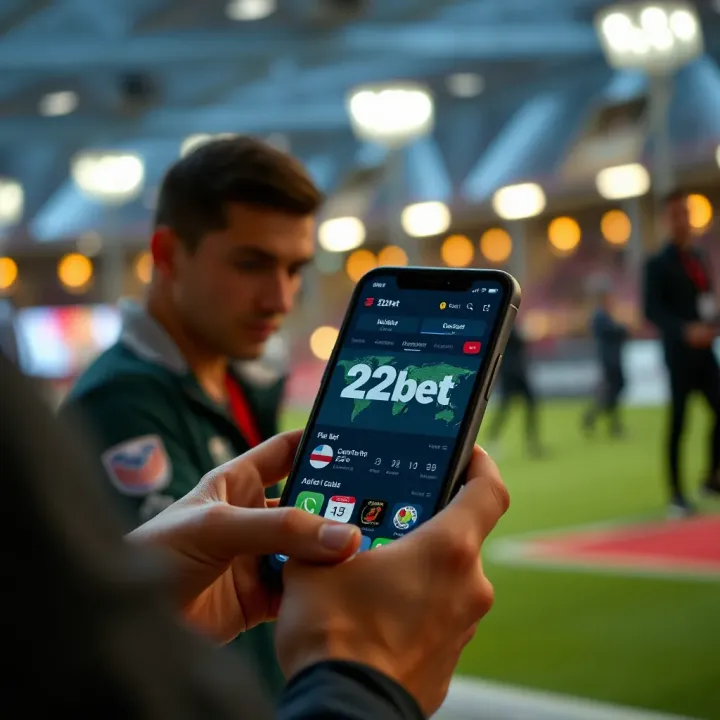
Security is another concern. Nigerian users should verify that the app comes from an official 22bet source to prevent malware or scams. The app requests permission to access things like your location and storage — nothing unusual for betting apps. However, always review requested permissions carefully during installation.
Here’s a quick checklist of key requirements:
Android version 5.0 or higher
Stable internet connection, either 3G, 4G, or Wi-Fi
At least 150 MB of free internal storage
Disabled Play Protect temporarily during installation (if needed)
Source APK file from official 22bet platforms only
Remember, downloading APK files from unofficial or third-party websites can expose your device to security threats. Always keep antivirus apps updated for a safety net.
One more practical tip: enable installation from unknown sources in your phone settings. On most Android devices, this is found under Settings > Security > Install unknown apps or Settings > Privacy. This setting lets you install apps outside of the Google Play Store, which is needed to install the 22bet APK.
After confirming these basics, you’re ready to move on to the download and installation steps without hassles. This preparation makes your betting experience on 22bet more reliable and seamless on your Android device.
Getting to know the 22bet app and what an APK file means can save you plenty of stress when downloading and installing the app on your Android device. Before jumping into the steps, it helps to understand why this method is practical and how it fits into your mobile betting experience.
The 22bet app is a mobile application designed specifically for sports betting and online gambling. It offers a wide range of markets, from football and basketball to live in-play betting. The app provides a smoother, faster way to place bets compared to using a browser, especially when you're on the move around Lagos or other Nigerian cities with patchy internet. It’s built to handle transactions in naira (₦), localised payment systems, and Nigerian betting preferences. This brings convenience to your fingertips without the hassle of navigating a website repeatedly.
Though you might expect to find 22bet on Google Play Store, it’s often not available there due to restrictions on gambling apps in some regions. Downloading the APK (Android Package Kit) allows you to sidestep these restrictions and get the app directly. Think of the APK as the installation file you’d normally get from the app store, but it comes straight from the source instead. This method guarantees that you get the latest version quickly without waiting for Google Play’s approval process. Still, you must be careful to download APK files only from trusted sources to avoid malware or fake copies common in unofficial sites.
Compatibility is key to a smooth experience. The 22bet APK typically supports Android versions from 5.0 (Lollipop) upwards. If your device runs an older version, you might face installation issues or crashes during use. For example, a user with an Android 4.4 device might find the app incompatible or unstable. Checking your Android version under your device settings saves unnecessary hassle.
Storage is often overlooked but crucial. The 22bet APK takes up roughly 30–50MB, but consider additional space needed for cached data and updates. A phone with less than 200MB free might struggle, slowing down not just the app but the whole system. For most phones today, clearing out old photos or uninstalling unused apps can free enough room. Besides, keeping space free helps avoid app slowdowns during live betting sessions.
A reliable internet connection is a must. The app works best with a stable 3G, 4G, or Wi-Fi connection. Betting odds update in real-time, so a weak connection can cause delays, missed bets, or even app crashes. For instance, while on a danfo moving through Lagos traffic, you might switch between mobile networks; ensuring continuous connectivity matters. If your network is shaky, the app might freeze or fail to load live games, spoiling the betting experience.
Always check these basic requirements before attempting to download and install the 22bet app. It helps avoid frustration and ensures you enjoy seamless betting.
Understanding these points sets you up well to confidently download and install the app using its APK format. The next section will walk you through the exact steps to get the app running on your Android device.
Downloading and installing the 22bet APK on your Android device requires careful attention to a few key steps. Nigerian Android users must understand this process not only to ensure the app functions well but also to avoid potential security issues. This guide breaks down the method so you won't get stuck or expose your device to unnecessary risks.
Android devices do not allow installation of apps outside the Google Play Store by default. So, you must enable the option to install apps from "unknown sources." To do this, navigate to your device's Settings, then go to Security or Privacy. Find "Install unknown apps" or "Unknown sources" and enable it for the browser or file manager you plan to use to download the APK. This step is crucial because without it, your device will block the 22bet APK installation.

Keep in mind that while making this change, you should only allow installation from trusted sources to protect your phone from malicious apps.
To get the genuine 22bet APK, always head straight to the official 22bet website. In Nigeria, users often fall for fake sites posing as legitimate platforms. The official site provides the correct, latest version of the app, avoiding risks from pirated or outdated files. Be suspicious of random download links on social media or third-party platforms, as these might infect your device.
Using the official site also ensures compliance with Nigerian regulations and better app performance. Remember, the 22bet site is optimised for mobile users, so you can easily download the APK directly to your phone.
After download, you should verify the APK to confirm its integrity and authenticity. Usually, the official 22bet site offers an MD5 or SHA checksum for the APK. You can compare this with your file's hash using apps like "Checksum Checker" on Android. This simple step catches any corrupted or tampered files before installation.
This verification is more than technical jargon; it protects your device from unsafe codes disguised as legitimate apps. Skipping this can lead to security risks and app malfunctions.
Once you have the APK saved and verified, locating it in your device's Download folder or file manager is next. Tap the file, then follow the prompts to install. Pay attention to permissions requested during installation; 22bet should only ask for necessary access.
Installation usually completes within a minute or two, after which you can open the app and begin your betting experience. If you encounter any warnings, double-check that you downloaded from the official source and that the file is intact.
Following these steps ensures a smooth, safe installation of the 22bet APK, helping you get started quickly without exposing your phone to unnecessary danger.
Downloading and installing the 22bet app APK on your Android device requires careful attention to security risks. Since APK files are often shared outside official platforms like Google Play Store, there’s a higher chance of encountering altered or malicious files. Taking steps to avoid these risks protects your personal data, your funds in the app wallet, and your device’s overall performance.
Obtaining the 22bet APK directly from official sources ensures you get a genuine, tamper-free version of the app. Fake APKs circulated on untrusted sites often contain malware or spyware designed to steal login details or run up unwanted charges. For example, an unofficial file could sneak in services that access your contacts or financial data without consent. Staying with the official 22bet website or authorised partners significantly lowers these threats.
Using APK files from unknown origins can expose your device to malware, viruses, or spyware. Such software might cause your phone to slow down, display unwanted ads, or even give hackers remote control access. Additionally, altered apps might bypass security checks and risk your login credentials being compromised. There is also the danger of APK files carrying ransomware that locks your device until you pay a fee. These issues emphasise why caution is necessary with APK downloads.
Using antivirus software: Installing trusted antivirus apps is a practical way to scan and block harmful files before they cause damage. In Nigeria, apps like Avast or Bitdefender are widely used and can detect suspicious APK behaviour during download or installation. Running regular scans helps catch threats early and protects the device from spyware that might collect your financial activities on 22bet.
Regular updates: Keeping both your Android operating system and installed apps up to date can close security loopholes. Developers regularly release patches to fix vulnerabilities that hackers might exploit. For example, an older Android version might allow a virus to get past app permission checks. Updating promptly ensures your device defences remain strong, reducing the risk from malicious APKs.
Checking app permissions: Before granting access, review what permissions the 22bet app requests during installation. Legitimate apps usually ask for reasonable permissions — like internet access for betting updates — but not unnecessary ones like access to SMS, camera, or contacts. If the APK demands excessive permissions, it could indicate a potential security risk. Limiting permissions to what the app strictly needs prevents misuse of your personal data.
Always keep security your top priority when downloading APKs. Taking a few extra minutes to verify sources, use antivirus protection, and monitor permissions can save you from much bigger headaches down the road.
By following these steps, you ensure a safer experience with the 22bet app on your Android device, helping you enjoy betting without worry or distractions.
Running into problems while downloading or installing the 22bet app APK can be frustrating, especially if you are eager to start betting on your favourite events. This section addresses frequent issues you might face and offers practical solutions to keep your experience smooth. Whether it’s a download failure, installation error, or app performance glitch, knowing how to respond can save you time and data.
Download failures usually occur due to unstable internet connections or insufficient storage space. For instance, if you’re downloading the 22bet APK over a mobile network with patchy reception, the process may halt unexpectedly. To fix this, ensure you have a strong and consistent Wi-Fi or mobile data connection before starting the download. Additionally, double-check that your device has enough free space: the 22bet app requires some hundreds of megabytes, and with other apps and media on your phone, storage can fill up fast. Clearing old files or uninstalling unused apps can free up space.
Sometimes, browser or device settings prevent the file from downloading fully. Try switching to a different browser—Google Chrome or Firefox are reliable options. Avoid downloading the APK during peak hours in areas prone to network congestion.
Installation hitches often pop up because Android blocks apps from unknown sources as a security measure. After enabling this option in your device settings, some users still face errors like "app not installed" or "parse error." These usually mean the APK file is corrupt or incomplete.
Re-download the APK from the official 22bet website to avoid tampered files. Also, confirm that previous versions of the app are uninstalled before installing the new APK, as leftover data can cause conflicts. In some cases, devices with older Android versions cannot support the latest app updates—check your OS version and update it if possible.
If issues persist, resetting your device’s app preferences can help by restoring default settings that might have been altered.
After a successful install, some users may face app crashes or sluggish performance. This often happens when the device runs low on RAM (random access memory) or when background apps interfere.
Close unnecessary apps to free memory before launching 22bet. If crashes continue, clear the app’s cache and data from your phone’s app settings. This removes temporary files that can cause malfunctions.
Make sure your Android software is up-to-date; outdated firmware can lead to compatibility problems. Also, verify that the APK version downloaded matches your device specifications, especially with regard to processor architecture.
Always download the 22bet APK from the official source and maintain your device properly. This prevents many issues from occurring and ensures that you enjoy a stable and secure betting experience.
Taking these troubleshooting steps seriously will help you avoid common pitfalls and get the best from the 22bet app on your Android device.
Once you've installed the 22bet app on your Android device, the next step is to get the most out of the platform. This involves setting up your account, navigating the app's features smoothly, and making your first deposit to start placing bets. These steps ensure a seamless betting experience free from initial hurdles.
Getting started begins with either creating a new account or logging into an existing one. The app offers a simple registration process requiring basic personal information like your name, email, and phone number. For Nigerians, providing a valid phone number linked to your network provider helps with verification. If you already have an account on 22bet via their website, the same login details work on the app, making the transition smooth.
Be sure to create a strong password and enable any available security features like two-factor authentication, helping protect your account against unauthorised access. After successful login, you’re ready to explore the app.
The 22bet app is designed with user-friendly navigation to access betting options quickly. The main dashboard typically displays popular sports, live betting events, and casino games. For example, football matches for the Nigerian Premier League or English Premier League are easy to find with just a tap.
You can switch between pre-match and live bets, check upcoming events, and view your betting history all within clearly labelled menus. Quick access to promotions and bonuses also appears prominently. This intuitive layout helps you focus on what matters: placing your bet without unnecessary delays or confusion.
Depositing funds into your 22bet account is straightforward, with several payment options tailored for Nigerian users. You can use bank transfers through Nigerian banks like GTBank, Access Bank, or Zenith Bank. Mobile money services such as OPay and PalmPay also provide convenient alternatives.
Additionally, international options like Visa and Mastercard cards are accepted. Using USSD codes for funding your account is another quick method without the need for internet, especially handy in areas with unstable connectivity.
All transactions on the 22bet app support Nigerian Naira (₦), which simplifies the process and avoids currency conversion headaches. Depositing and withdrawing in ₦ means you see exact amounts debited or credited, helping you track your betting budget without surprises.
Withdrawals are as flexible as deposits, supporting various Nigerian payment channels. Once your bet wins, you can quickly cash out to your local bank account or mobile wallet service. This localised payment setup is vital to make betting accessible and hassle-free for Nigerian punters.
Remember, always verify your payment details before confirming deposits or withdrawals to avoid delays.
By understanding these basics after installation, you’re well-positioned to enjoy betting on 22bet without stumbling over typical beginner’s issues.
📲 Download the old 22Bet APK easily on your Android! See features, compatibility tips, and installation steps perfect for Nigerian users. Understand benefits & risks ⚖️
🔐 Learn how to login to 22Bet Tanzania with ease. This guide covers step-by-step access, fixes common login issues, secures your account, and boosts your betting experience. 🎲

Learn what DNB means on 22Bet and how to use it smartly to improve your bets. Discover tips, common mistakes, and how DNB can protect your stake in Nigerian betting markets ⚽️💡

🎲 Explore 22bet promotions in Nigeria: how to qualify, claim your bonuses, and make the most of each offer. Get ahead with tips and platform comparisons ₦
Based on 13 reviews