
How to Download the 22bet App APK on Android
📱 Download the 22bet app APK on your Android easily! Follow practical steps, security tips, and troubleshooting for smooth betting on your phone in Nigeria.
Edited By
Fatimah Bello
Downloading and installing the 22bet betting app in Nigeria comes with some important things to keep in mind. First, make sure your device is compatible. The 22bet app supports both Android and iOS devices, but Android users often need to enable installations from "Unknown Sources" since the APK isn't always available on the Google Play Store due to app rules.
Second, check your phone’s available storage. The app size varies, but a typical installation requires around 50-70 MB of free space. For smooth performance, having additional space and at least 2GB of RAM is ideal. Older phones or those with limited hardware might struggle with fast loading or app crashes.
Third, your internet connection matters. Whether you’re using MTN, Airtel, Glo, or 9mobile, a steady 3G or 4G connection will ensure a seamless download and smoother betting experience. Avoid spotty connections to prevent installation interruptions.
Safety should always come first. Only download the 22bet app from official sources — either the 22bet website or authorised Nigerian app stores. This helps you avoid fake or malware-infected files.
Fourth, consider security settings. Nigerian users need to be wary of app permissions. The 22bet app mainly requires permissions for internet access and storage, but it’s smart to review app permissions carefully before installation. Avoid granting excessive permissions that don’t make sense.
Fifth, registering a 22bet account will need your valid phone number and sometimes your email address for verification and withdrawal processes. Make sure you have your Bank Verification Number (BVN) handy if you want quick payouts.
Finally, it's useful to be aware of local regulations about online betting in Nigeria. While remote betting apps like 22bet are popular, responsible gambling is advised, and you must ensure you’re complying with any state-specific laws.
Keep all these points in mind before you move to the next step. They help guarantee not just a smooth installation but also a safer betting experience on your phone.
Understanding the 22bet app is essential for anyone looking to bet conveniently and confidently on sports from Nigeria. This app brings a comprehensive betting platform right to your smartphone, allowing you to access a wide range of sports events and markets whenever you want. The main advantage is that you don’t have to be stuck at your desktop or chase after internet cafes; with 22bet on your mobile device, your betting experience becomes smoother and more flexible.
22bet stands out because it offers an extensive selection of sports, from football—the country's favorite—to basketball, tennis, boxing, and even niche markets like darts or eSports. This diversity means you can explore different betting types beyond the usual match-winner or over/under markets. For instance, you might bet on the number of corner kicks in a Lagos Premier League match or the next yellow card in a Champions League game. Such variety keeps the experience engaging and provides more chances to find bets that suit your knowledge.
One of the biggest draws on the 22bet app is the live betting feature. You can place bets while a game is ongoing, which adds excitement and allows users to adjust their bets based on how the match unfolds. For example, if your favourite Nigerian football team starts strong, you might increase your stake or try a different market like predicting the next scorer. This dynamic betting style is not only thrilling but can also improve your chances when you follow the game closely.
Navigating the 22bet app is straightforward, even for those not very tech-savvy. The app’s layout is clean, with well-organised menus and quick access to your favourite sports. It loads fast and displays odds clearly, which avoids confusion during fast-paced betting sessions. If you’re new to mobile betting, you won’t struggle to place your first wager, thanks to intuitive navigation and simple instructions.
The app supports a range of payment options popular in Nigeria, such as bank transfers through local banks, mobile money platforms like Paga, and card payments via Visa or MasterCard. This flexibility makes it easier to fund your betting wallet or withdraw winnings without needing complicated steps. Plus, with support for local banks, you avoid excessive forex charges or delays, which is quite common when dealing with international payment channels.
22bet offers some of the most competitive odds in Nigeria’s betting market. This means you stand to get better returns compared to other apps when your bet wins. For example, when betting on the Nigeria Professional Football League, odds on 22bet can be noticeably higher than on other platforms, boosting your potential earnings even with smaller bets.
Using the Nigerian Naira directly in the app removes the hassle of currency conversion and keeps your betting straightforward. You see all your bets, deposits, and withdrawals in ₦, which helps you better manage your stakes and earnings without guessing exchange rates. For many users, this direct support reduces confusion and makes budgeting for betting more manageable.
Nobody likes waiting days to access their winnings. 22bet processes withdrawal requests quickly, often within 24 hours, especially when using local banking options. This swift payout is a real advantage for Nigerian bettors who might need quick access to their funds for personal use or immediate re-investment.
Having customer service that understands the local environment is vital. The 22bet app provides support channels that cater specifically to Nigerian users, including help via email, live chat, and sometimes even phone support during Nigerian business hours. This ensures that any issues around payment, account verification, or technical hitches get prompt attention, improving your overall experience.
Choosing the right betting app goes beyond just placing bets; it’s about reliability, ease of use, and a service that fits your lifestyle. The 22bet app ticks these boxes for Nigerian bettors looking to enjoy a quality sportsbook at their fingertips.
Understanding device compatibility and system requirements is essential before installing the 22bet betting app. Ensuring your phone or tablet meets these specifics helps prevent installation issues and delivers smooth, uninterrupted betting experiences. For a bettor in Lagos or Abuja, a device that fails to support the app could mean missing out on live betting offers or quick withdrawals, especially during peak football matches.
Minimum system requirements for the 22bet app typically include Android version 5.0 (Lollipop) and upwards or iOS 10.0 and above. These baseline versions ensure that the app functions properly without lag or crashes. For instance, users with older Android phones like a Samsung Galaxy Core Prime running KitKat may find it difficult to install the app or experience frequent glitches.
These requirements are practical because they optimise the app's performance on your device, ensuring features like live betting updates and in-app transactions work seamlessly. Ignoring these can slow your phone down, leading to a frustrating betting session just when the stakes are high.
Checking your device's compatibility is straightforward. On Android, go to "Settings" > "About phone" and look for the Android version. For iOS devices, navigate to "Settings" > "General" > "About" to find your current iOS version. Gamers with lower-end devices or those relying on tokunbo phones should check this before attempting downloaded installs.
If your device falls below these minimum requirements, consider updating its software if possible, or using a newer device. This saves you from needless app crashes or missing out on crucial app upgrades designed to improve betting security and interface.
The required storage space for the APK of 22bet is generally modest, around 50-70 MB. However, it’s not just the APK file size to consider. After installation, the app may use additional space for cache, updates, and downloaded content such as event data. Ensuring you have at least 150 MB of free space is wise, especially on devices with limited memory like older Tecno or Infinix models.
Running out of storage mid-install can cause installation failures or slow app performance. It's similar to how a danfo bus filled beyond capacity struggles on Lagos roads. Clearing unused apps or media files in advance helps smooth the installation process.
For recommended internet connectivity, a stable and reasonably fast connection is key. Betting live with real-time odds and cashing out without hiccups demands an internet speed of at least 1 Mbps. Most urban Nigerian areas with 4G from MTN or Airtel meet this, but those in rural locations using 3G or spotty connections might face delays or dropouts.
Using Wi-Fi at home or a reliable mobile network reduces the risk of a frozen screen during live bets. Remember, a weak connection at the tipping point of a match can cost you both your bet and the thrill. On top of that, some users prefer using data bundles with decent capping, such as those offered by Glo or 9mobile, to ensure uninterrupted betting during weekend matches or festive periods.
Having the right device and network is not a luxury but a necessity for serious bettors wanting to enjoy the full benefits of the 22bet app.
By checking these compatibility and requirement factors, you'll avoid common pitfalls and get straight into the action without delay or distraction.
Downloading and installing the 22bet betting app correctly is essential to enjoy smooth and secure betting on your mobile device. This guide walks you through each step, ensuring you avoid common pitfalls like fake downloads or permission errors. Following this carefully saves you time and protects your data from unnecessary risks.
The safest place to download the 22bet APK is directly from the official 22bet website. Unlike third-party sites or random links, the official platform guarantees you get the latest, malware-free version. Also, official sources often provide notifications when app updates are available to keep your app working optimally.
Downloading from unofficial sites risks getting outdated or modified versions which can cause app malfunctions or security breaches. For example, some fake apps may look convincing but contain malware designed to steal personal information or drain your wallet.
One common mistake is downloading APK files from social media, emails, or unverified websites. These channels may distribute fraudulent versions of the 22bet app that compromise your device’s security. To avoid this, always confirm the URL before downloading and check reviews or forums if unsure.
Be especially wary of apps claiming to offer "free bets" or "bonuses" as a download incentive. These often come bundled with spyware or adware that disrupts your betting and phone performance. Remember, official apps do not require unusual permissions beyond those needed for regular operation.
Since the 22bet app is downloaded as an APK file outside the Google Play Store, Android devices block its installation by default for security reasons. You’ll need to enable "installations from unknown sources" in your phone settings. This option is typically found under the Security or Privacy menu.
Be cautious while enabling this feature. Only switch it on temporarily for the 22bet APK installation, then turn it off again to prevent other unknown apps from getting installed. This reduces the risk of malicious software sneaking onto your device.
Once the APK file is downloaded and your device settings allow installations from unknown sources, simply tap the file to start installation. Follow on-screen prompts which usually take less than two minutes.
If you encounter permission errors, double-check that you granted all necessary permissions, or restart your device before trying again. Post-installation, the app icon will appear on your home screen or app drawer, signalling successful installation.
Open the installed app and log in with your existing 22bet credentials. If you are new, you can create an account directly from the app in a few simple steps. Using your login details keeps your betting history, preferences, and wallet in sync.
Always use strong, unique passwords and avoid saving them in shared devices to protect your account from unauthorised access.
After logging in, spend a few minutes exploring the app settings. You can set preferences like preferred odds format (decimal, fractional), notification alerts for match updates, or payment methods including local options using ₦.
Adjusting these settings improves your user experience by tailoring the app to your betting style and keeps you informed about your favourite games without unnecessary distractions.
Following these clear steps ensures you install the 22bet app safely and configure it for immediate, effective use. Taking time here pays off with secure betting and hassle-free app performance.
Security and responsible betting are essential when using the 22bet app in Nigeria. Safeguarding your account prevents financial loss and identity theft, while responsible betting keeps your gaming experience fun and under control without risking beyond what you can afford.
Password safety tips: A strong password is your first line of defence. Use a mix of letters, numbers, and symbols to create a password that's hard to guess. Avoid obvious choices like birthdays, phone numbers, or the word "password". Consider changing your password every few months and avoid using the same password across multiple platforms. For example, if someone gains access to your Facebook or email with the same password, they might try it to log into your 22bet account.
Avoiding scams and phishing attacks: Scammers can pose as 22bet support staff or send messages claiming you've won a prize, asking for personal details or login credentials. Be wary of links sent via SMS, WhatsApp, or email that ask you to enter your username or password. Always download updates or apps directly from the official 22bet website or trusted app stores. Never share your Bank Verification Number (BVN) or passwords with anyone, and verify messages by contacting 22bet’s official customer service.
Tools to manage your betting habits: The 22bet app provides features to help you limit your spending. You can set daily, weekly, or monthly deposit caps to avoid overspending. For instance, if you set a weekly deposit limit of ₦10,000, once you hit that, the app will block further deposits until the period lapses. This control helps bettors enjoy their playtime without risking heavy losses.
Recognising signs of problem gambling: It's crucial to know when your betting may be becoming a problem. Warning signs include chasing losses, betting more than you planned, or feeling restless when not betting. If you notice these, take a break or seek support from responsible gambling organisations in Nigeria. Keeping to your betting limits and regularly reviewing your activity on the 22bet app can help you maintain a healthy balance and avoid addiction.
Responsible betting and robust security measures protect your funds and keep your betting enjoyable, safe, and under your control. Pay attention to these practices to make your 22bet experience both rewarding and secure.
Encountering installation problems is common when downloading apps like the 22bet betting app, especially on devices with varied settings or network conditions in Nigeria. Knowing how to handle these issues helps you avoid frustration and get started with betting promptly. This section covers everyday glitches and fixes that many Nigerian users may face, ensuring a smooth app installation.
Dealing with slow downloads or interrupted connections can be particularly frustrating when you’re eager to start betting. Nigeria faces uneven internet quality in many regions, causing downloads to stall or fail midway. To ease this, it’s wise to download the APK during off-peak hours when the network is less crowded, such as late at night or early morning. Also, switch to a stable Wi-Fi connection whenever possible; relying solely on mobile data may cause interruptions, especially if your network fluctuates.
If your connection keeps cutting off, try pausing and resuming the download, or use a download manager app that supports resuming broken downloads. This saves data and time since restarting from scratch can be discouraging.
Checking for corrupted files after downloading is crucial. A corrupted APK file can cause installation errors or crashes. If you experience failures during install, try re-downloading the APK from the official 22bet website rather than third-party sources which might host altered or incomplete files. Pay attention to file size; if the downloaded APK is significantly smaller or strangely sized compared to the official mention, it is likely corrupted.
Running an antivirus or malware scan on the APK before installation is a smart move, especially since Nigeria has seen fake betting apps causing harm. This extra caution protects your device and personal data.
Fixing permission errors is often necessary because Android devices block installations from unknown sources by default. When you try to install the 22bet APK, you may get a permission prompt. To proceed, go to your device’s settings, locate the security section, then enable installations from unknown sources for the browser or file manager you used to download the app. Remember to disable this setting afterwards to maintain overall device security.
If the installation still fails due to permissions, ensure your phone’s storage is not full and that no system restrictions (like a parental control app) block new app installations.
App crashes or not opening after install can happen if the APK version does not match your device’s Android OS or if there is a bug in the app. First, confirm that your device meets the minimum requirements listed by 22bet. Clearing the app cache or restarting your device can also sometimes resolve startup issues.
If problems persist, uninstall the app completely and download the latest version again. Feedback forums and official 22bet customer support can be helpful if the app behaves unpredictably after several attempts.
Practical awareness of these installation challenges ensures you spend more time enjoying the betting experience rather than struggling with technical hiccups.
In summary, staying patient with network interruptions, checking file integrity, handling permission settings carefully, and ensuring device compatibility are key steps to successfully installing the 22bet app on your phone in Nigeria.
📱 Download the 22bet app APK on your Android easily! Follow practical steps, security tips, and troubleshooting for smooth betting on your phone in Nigeria.
Explore how the '2up' market works on 22Bet 🇳🇬. Get smart betting tips and understand risks to boost your ₦game on Nigeria’s fav platform ⚽️🎯.
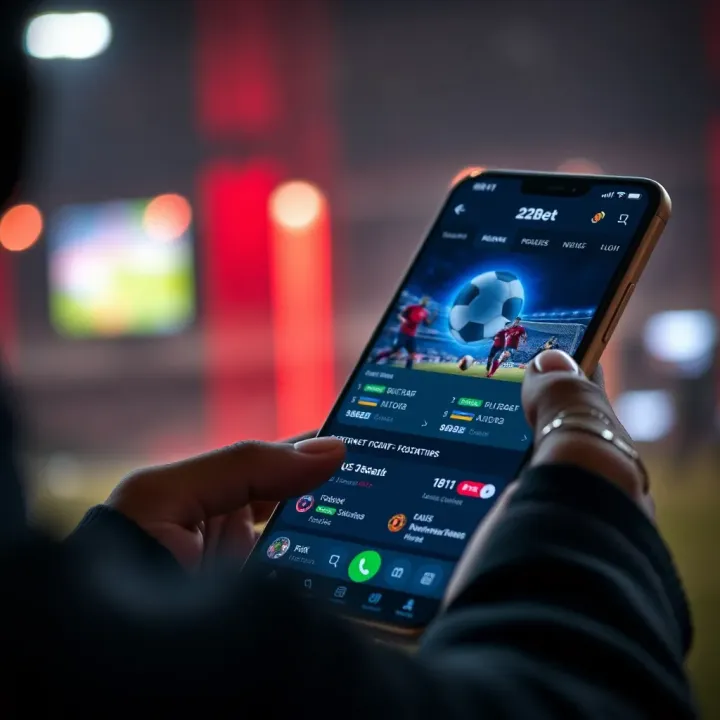
⚽ Discover how 22Bet boosts your Champions League betting experience in Nigeria with easy bets, top promos, and smart tips to maximise your ₦ stakes safely!
🎲 Discover how to use the 22bet code to claim bonuses and promotions in Nigeria. Step-by-step guide to redeem, common issues, and tips to get the best value from ₦22bet offers!
Based on 15 reviews